Text
Page: 1
Funicular
A Browser App Framework
Powered by PicoRuby.WASM
hasumikin
22nd April #rubykaigiA
Page: 2
self.inspect
Hitoshi HASUMI @hasumikin (GitHub and Twitter)
Creator of PicoRuby
Committer of mruby and mruby/c
(Committer of CRuby IRB and Reline)
Working with ANDPAD: Local Meals Sponsor
Today, I’ll be handing out Lucky Pierrot Burger
🍔
Page: 3
Today’s Topic
Chapter 1. PicoRuby.WASM
Chapter 2. Funicular on PicoRuby.WASM
Page: 4
Chapter 1
PicoRuby.WASM
Page: 5
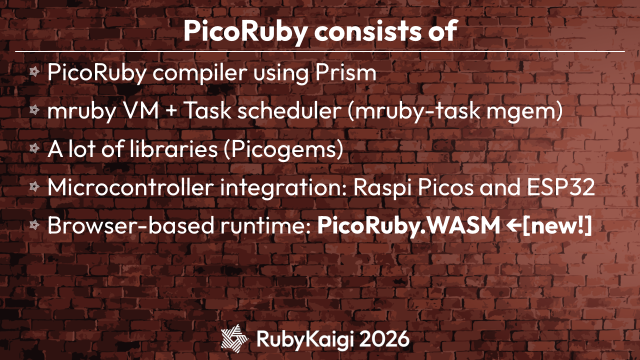
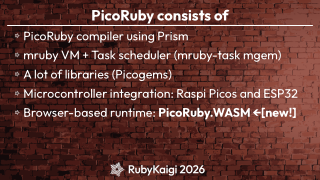
PicoRuby consists of
PicoRuby compiler using Prism
mruby VM + Task scheduler (mruby-task mgem)
A lot of libraries (Picogems)
Microcontroller integration: Raspi Picos and ESP32
Browser-based runtime: PicoRuby.WASM ←[new!]
Page: 6
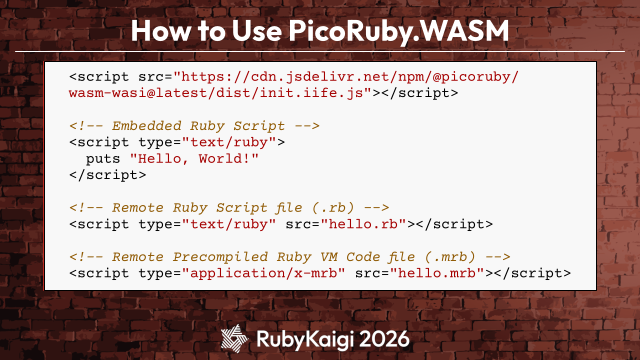
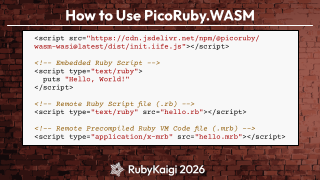
How to Use PicoRuby.WASM
<script src="https://cdn.jsdelivr.net/npm/@picoruby/
wasm-wasi@latest/dist/init.iife.js"></script>
<!-- Embedded Ruby Script -->
<script type="text/ruby">
puts "Hello, World!"
</script>
<!-- Remote Ruby Script file (.rb) -->
<script type="text/ruby" src="hello.rb"></script>
<!-- Remote Precompiled Ruby VM Code file (.mrb) -->
<script type="application/x-mrb" src="hello.mrb"></script>
Page: 7
When It Comes to PicoRuby,
💡
L-chika
(LED blinking)
Page: 8
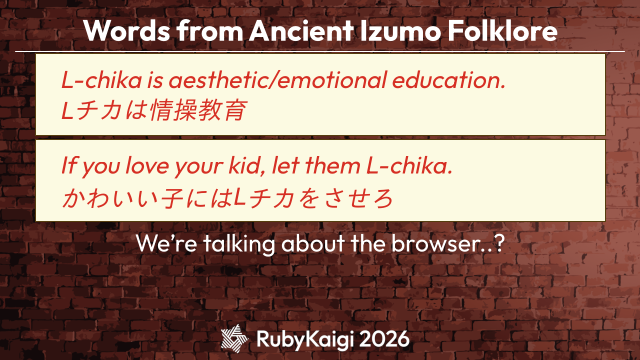
Words from Ancient Izumo Folklore
L-chika is aesthetic/emotional education.
Lチカは情操教育
If you love your kid, let them L-chika.
かわいい子にはLチカをさせろ
We’re talking about the browser..?
Page: 9
Demo : L-chika in browser
Page: 10
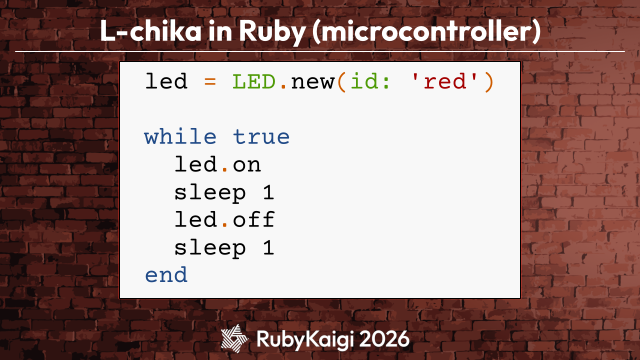
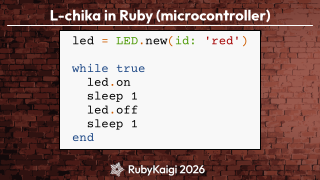
L-chika in Ruby (microcontroller)
led = LED.new(id: 'red')
while true
led.on
sleep 1
led.off
sleep 1
end
Page: 11
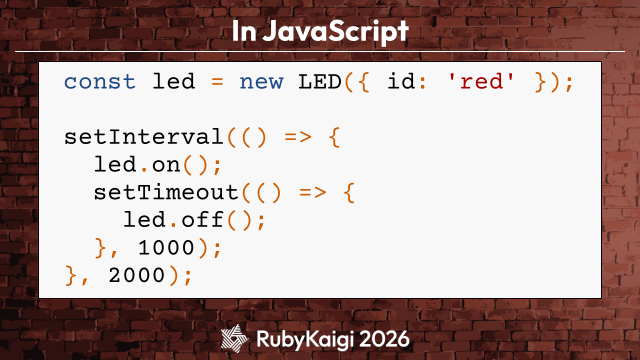
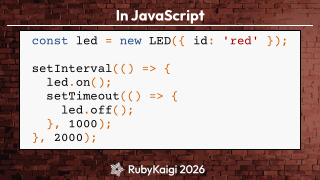
In JavaScript
const led = new LED({ id: 'red' });
setInterval(() => {
led.on();
setTimeout(() => {
led.off();
}, 1000);
}, 2000);
Page: 12
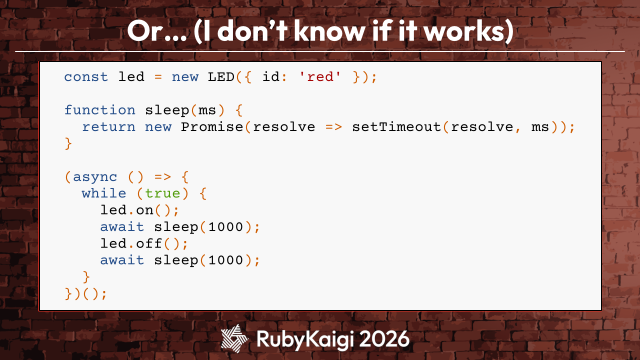
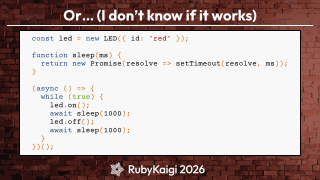
Or… (I don’t know if it works)
const led = new LED({ id: 'red' });
function sleep(ms) {
return new Promise(resolve => setTimeout(resolve, ms));
}
(async () => {
while (true) {
led.on();
await sleep(1000);
led.off();
await sleep(1000);
}
})();
Page: 14
Demo : sleep in CRuby.WASM
Page: 15
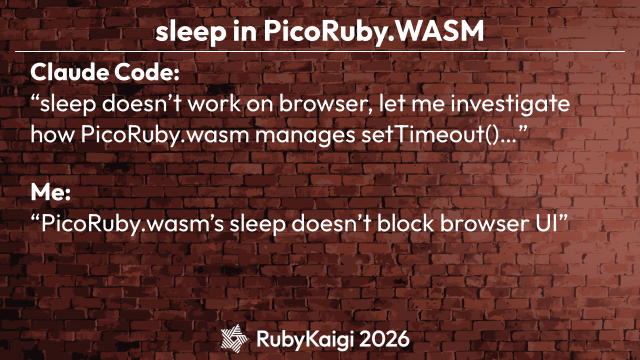
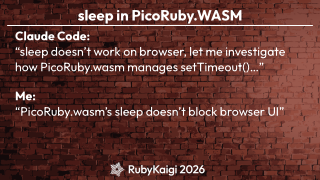
sleep in PicoRuby.WASM
Claude Code:
“sleep doesn’t work on browser, let me investigate
how PicoRuby.wasm manages setTimeout()…”
Me:
“PicoRuby.wasm’s sleep doesn’t block browser UI”
Page: 16
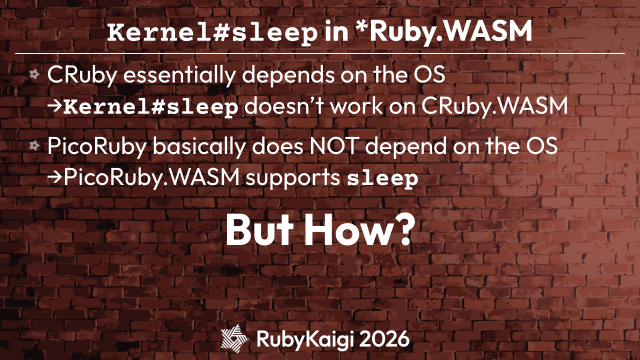
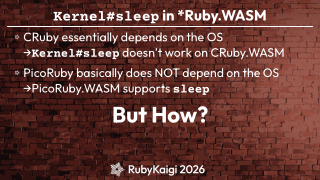
Kernel#sleep in *Ruby.WASM
CRuby essentially depends on the OS
→Kernel#sleep doesn’t work on CRuby.WASM
PicoRuby basically does NOT depend on the OS
→PicoRuby.WASM supports sleep
But How?
Page: 17
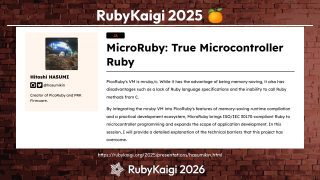
RubyKaigi 2025
🍊
https://rubykaigi.org/2025/presentations/hasumikin.html
Page: 18
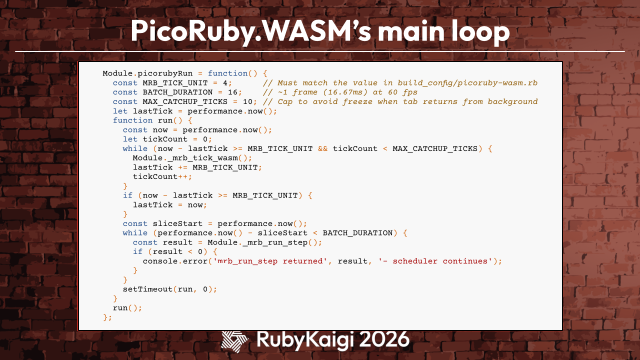
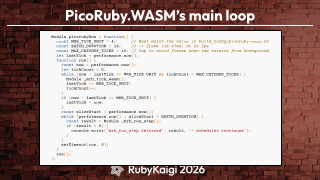
PicoRuby.WASM’s main loop
Module.picorubyRun = function() {
const MRB_TICK_UNIT = 4;
// Must match the value in build_config/picoruby-wasm.rb
const BATCH_DURATION = 16;
// ~1 frame (16.67ms) at 60 fps
const MAX_CATCHUP_TICKS = 10; // Cap to avoid freeze when tab returns from background
let lastTick = performance.now();
function run() {
const now = performance.now();
let tickCount = 0;
while (now - lastTick >= MRB_TICK_UNIT && tickCount < MAX_CATCHUP_TICKS) {
Module._mrb_tick_wasm();
lastTick += MRB_TICK_UNIT;
tickCount++;
}
if (now - lastTick >= MRB_TICK_UNIT) {
lastTick = now;
}
const sliceStart = performance.now();
while (performance.now() - sliceStart < BATCH_DURATION) {
const result = Module._mrb_run_step();
if (result < 0) {
console.error('mrb_run_step returned', result, '- scheduler continues');
}
}
setTimeout(run, 0);
}
run();
};
Page: 19
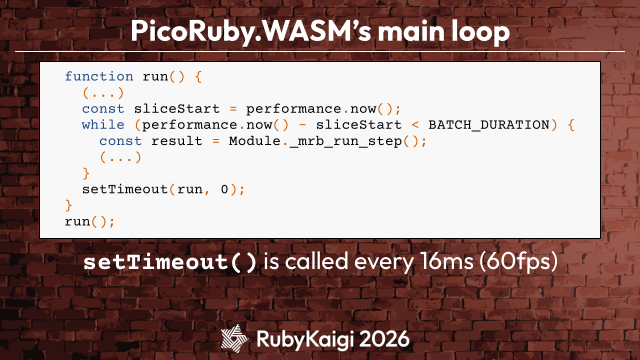
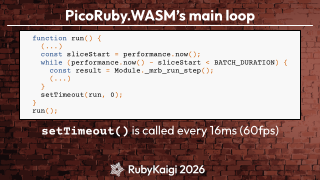
PicoRuby.WASM’s main loop
function run() {
(...)
const sliceStart = performance.now();
while (performance.now() - sliceStart < BATCH_DURATION) {
const result = Module._mrb_run_step();
(...)
}
setTimeout(run, 0);
}
run();
setTimeout() is called every 16ms (60fps)
Page: 20
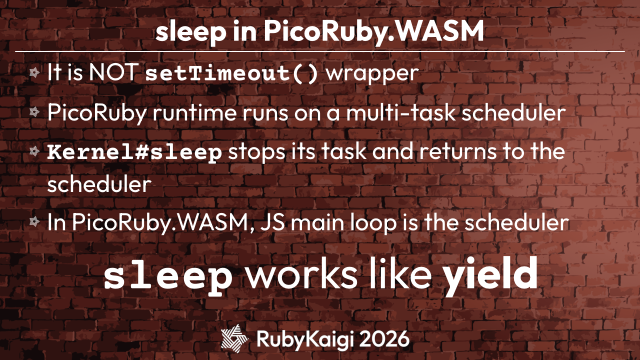
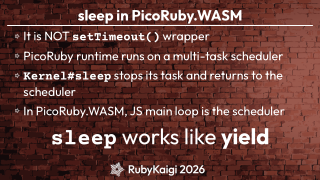
sleep in PicoRuby.WASM
It is NOT setTimeout() wrapper
PicoRuby runtime runs on a multi-task scheduler
Kernel#sleep stops its task and returns to the
scheduler
In PicoRuby.WASM, JS main loop is the scheduler
sleep works like yield
Page: 21
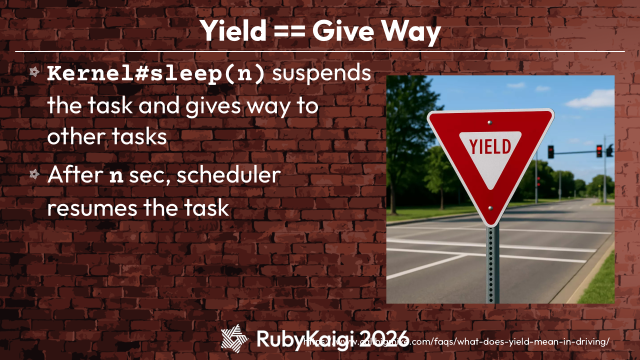
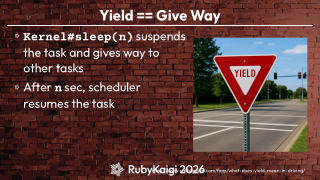
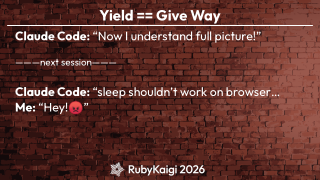
Yield == Give Way
Kernel#sleep(n) suspends
the task and gives way to
other tasks
After n sec, scheduler
resumes the task
https://www.callbigmike.com/faqs/what-does-yield-mean-in-driving/
Page: 22
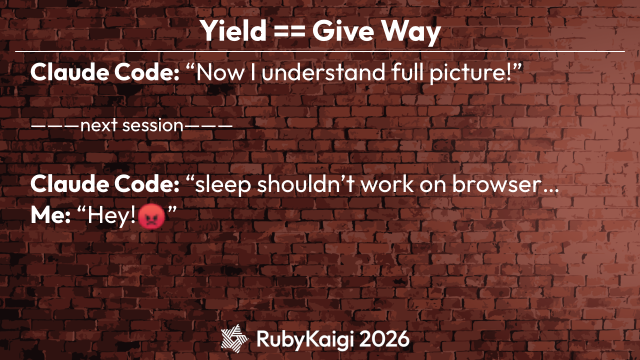
Yield == Give Way
Claude Code: “Now I understand full picture!”
———next session———
😡
Claude Code: “sleep shouldn’t work on browser…
Me: “Hey! ”
Page: 23
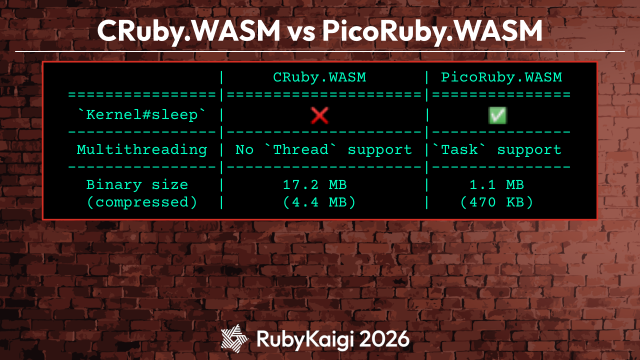
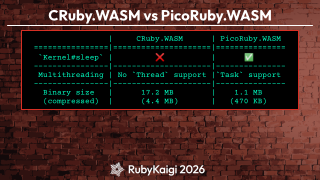
CRuby.WASM vs PicoRuby.WASM
|
CRuby.WASM
| PicoRuby.WASM
================|=====================|===============
`Kernel#sleep` |
|
----------------|---------------------|---------------
Multithreading | No `Thread` support |`Task` support
----------------|---------------------|---------------
Binary size
|
17.2 MB
|
1.1 MB
(compressed) |
(4.4 MB)
|
(470 KB)
❌
✅
Page: 24
Debugging
Unfortunately, Opal is hard to debug
You won’t use PicoRuby.WASM unless it’s
debuggable
Page: 25
Demo : binding.irb in L-chika
Page: 26
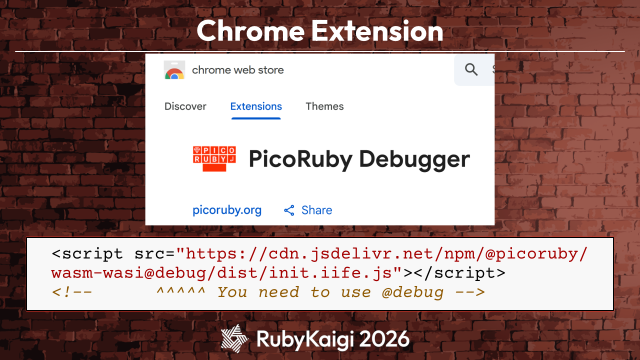
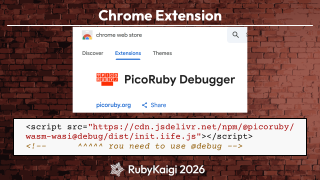
Chrome Web Store
Page: 27
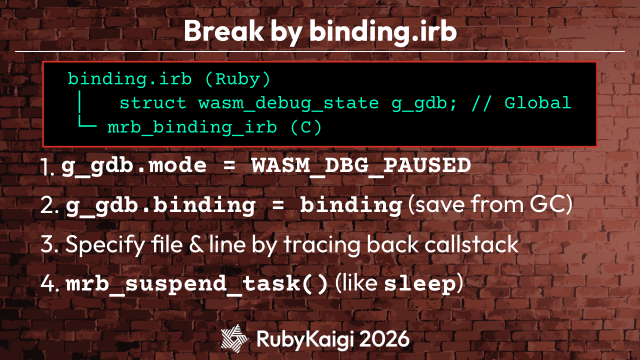
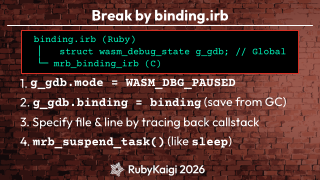
Break by binding.irb
binding.irb (Ruby)
│
struct wasm_debug_state g_gdb; // Global
└─ mrb_binding_irb (C)
1. g_gdb.mode = WASM_DBG_PAUSED
2. g_gdb.binding = binding (save from GC)
3. Specify file & line by tracing back callstack
4. mrb_suspend_task() (like sleep)
Page: 28
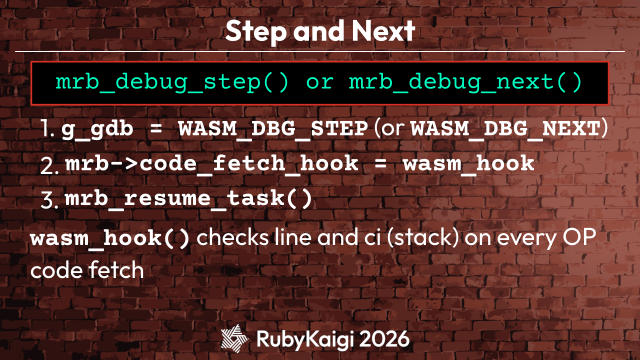
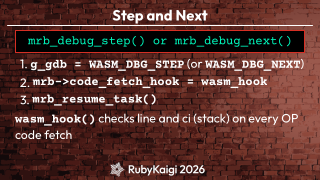
Step and Next
mrb_debug_step() or mrb_debug_next()
1. g_gdb = WASM_DBG_STEP (or WASM_DBG_NEXT)
2. mrb->code_fetch_hook = wasm_hook
3. mrb_resume_task()
wasm_hook() checks line and ci (stack) on every OP
code fetch
Page: 29
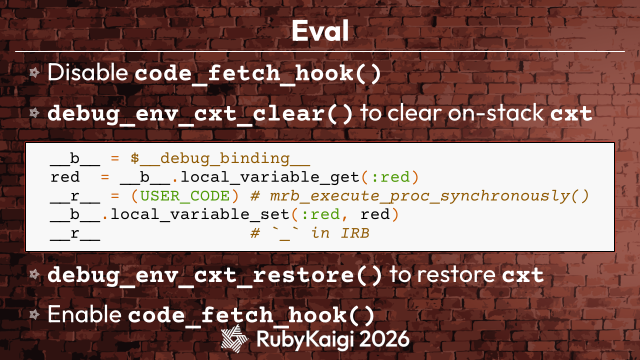
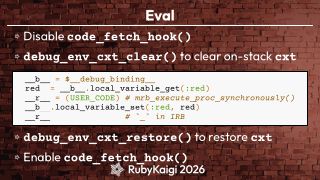
Eval
Disable code_fetch_hook()
debug_env_cxt_clear() to clear on-stack cxt
__b__ = $__debug_binding__
red = __b__.local_variable_get(:red)
__r__ = (USER_CODE) # mrb_execute_proc_synchronously()
__b__.local_variable_set(:red, red)
__r__
# `_` in IRB
debug_env_cxt_restore() to restore cxt
Enable code_fetch_hook()
Page: 30
Chrome Extension
<script src="https://cdn.jsdelivr.net/npm/@picoruby/
wasm-wasi@debug/dist/init.iife.js"></script>
<!--
^^^^^ You need to use @debug -->
Page: 31
Chapter 2
Funicular on PicoRuby.WASM
Page: 32
Demo : Tic-Tac-Toe (ReactJS)
Page: 33
Demo : Tic-Tac-Toe on
Funicular
Page: 34
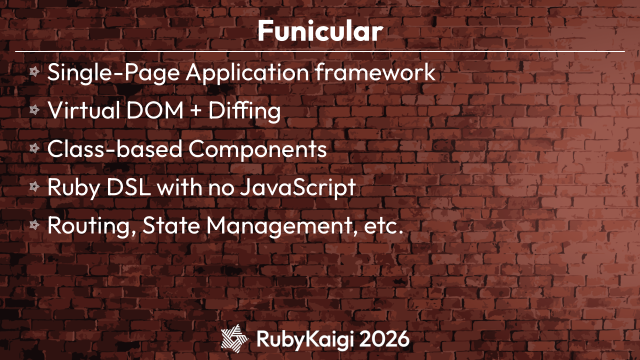
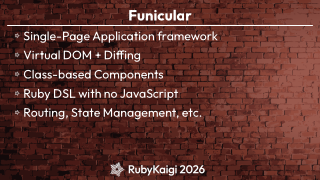
Funicular
Single-Page Application framework
Virtual DOM + Diffing
Class-based Components
Ruby DSL with no JavaScript
Routing, State Management, etc.
Page: 36
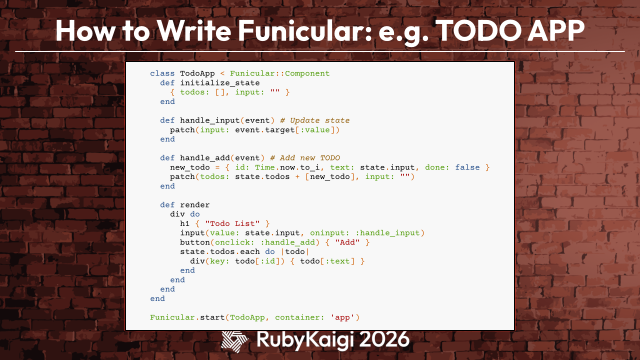
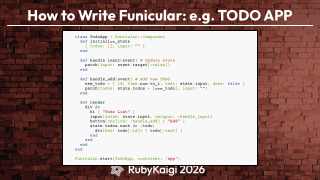
How to Write Funicular: e.g. TODO APP
class TodoApp < Funicular::Component
def initialize_state
{ todos: [], input: "" }
end
def handle_input(event) # Update state
patch(input: event.target[:value])
end
def handle_add(event) # Add new TODO
new_todo = { id: Time.now.to_i, text: state.input, done: false }
patch(todos: state.todos + [new_todo], input: "")
end
def render
div do
h1 { "Todo List" }
input(value: state.input, oninput: :handle_input)
button(onclick: :handle_add) { "Add" }
state.todos.each do |todo|
div(key: todo[:id]) { todo[:text] }
end
end
end
end
Funicular.start(TodoApp, container: 'app')
Page: 37
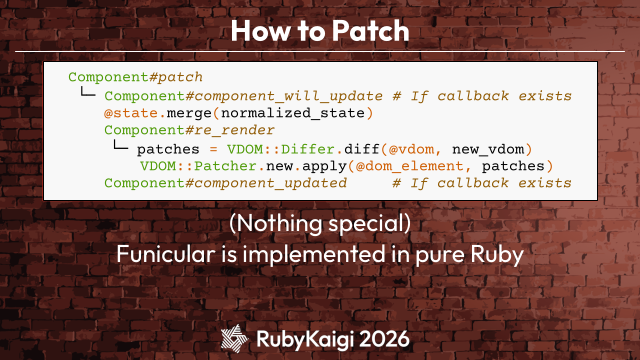
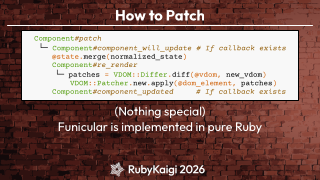
How to Patch
Component#patch
└─ Component#component_will_update # If callback exists
@state.merge(normalized_state)
Component#re_render
└─ patches = VDOM::Differ.diff(@vdom, new_vdom)
VDOM::Patcher.new.apply(@dom_element, patches)
Component#component_updated
# If callback exists
(Nothing special)
Funicular is implemented in pure Ruby
Page: 38
Funicular: When to Use?
🤔
Page: 39
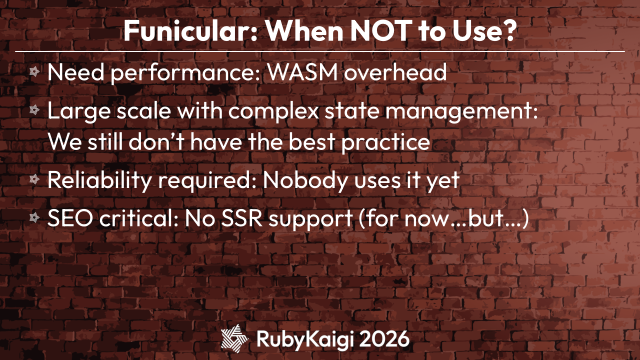
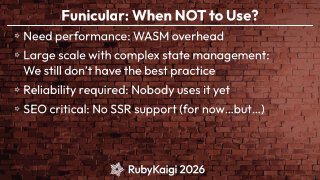
Funicular: When NOT to Use?
Need performance: WASM overhead
Large scale with complex state management:
We still don’t have the best practice
Reliability required: Nobody uses it yet
SEO critical: No SSR support (for now…but…)
Page: 40
Finally, We Have
Truly Practical
Full-Stack Ruby
Page: 41
Ruby for Server?
Page: 43
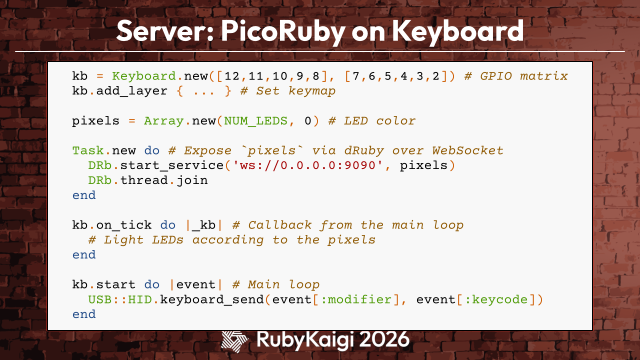
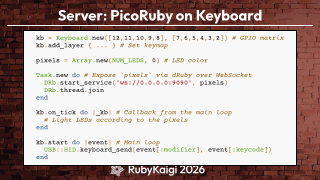
Server: PicoRuby on Keyboard
kb = Keyboard.new([12,11,10,9,8], [7,6,5,4,3,2]) # GPIO matrix
kb.add_layer { ... } # Set keymap
pixels = Array.new(NUM_LEDS, 0) # LED color
Task.new do # Expose `pixels` via dRuby over WebSocket
DRb.start_service('ws://0.0.0.0:9090', pixels)
DRb.thread.join
end
kb.on_tick do |_kb| # Callback from the main loop
# Light LEDs according to the pixels
end
kb.start do |event| # Main loop
USB::HID.keyboard_send(event[:modifier], event[:keycode])
end
Page: 44
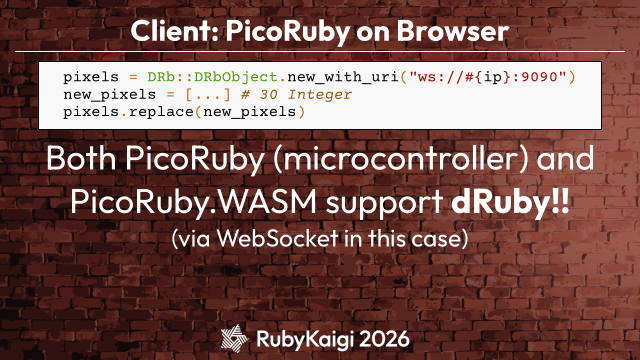
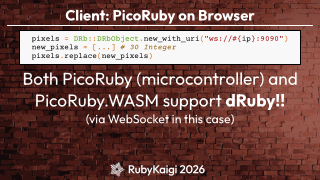
Client: PicoRuby on Browser
pixels = DRb::DRbObject.new_with_uri("ws://#{ip}:9090")
new_pixels = [...] # 30 Integer
pixels.replace(new_pixels)
Both PicoRuby (microcontroller) and
PicoRuby.WASM support dRuby!!
(via WebSocket in this case)
Page: 45
Keyboard is Essentially Ruby
Second time since 2021
Page: 46
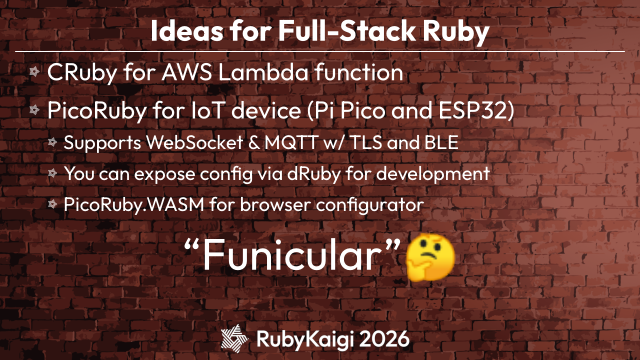
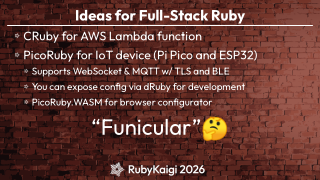
Ideas for Full-Stack Ruby
CRuby for AWS Lambda function
PicoRuby for IoT device (Pi Pico and ESP32)
Supports WebSocket & MQTT w/ TLS and BLE
🤔
You can expose config via dRuby for development
PicoRuby.WASM for browser configurator
“Funicular”
Page: 47
🎼
Funiculí-funiculá funiculí-funiculá
https://ja.wikipedia.org/wiki/ヴェスヴィオ
🎶
Page: 48
Funicular is a Cable-Driven Railway
Obviously targeting
🛤️
But RubyKaigi talks aren’t supposed to be
about
Page: 50
🛤️
🛤️
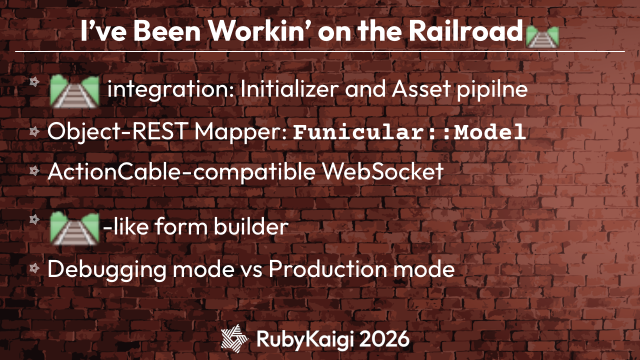
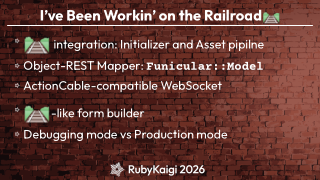
I’ve Been Workin’ on the Railroad
🛤️
integration: Initializer and Asset pipilne
Object-REST Mapper: Funicular::Model
ActionCable-compatible WebSocket
-like form builder
Debugging mode vs Production mode
Page: 51
👉
🛤️
To Be Continued
Kaigi on (if accepted)
Page: 52
🌟
Stargaze at
github.com/picoruby/picoruby
👀
Tic-Tac-Toe in depth
picoruby.org/wasm